
Use the smallest page and action that matches the job. This keeps corrections explainable and avoids replaying a whole library when one title or destination needs attention.
Choose the starting page
| Goal | Start here | Confirm with |
|---|---|---|
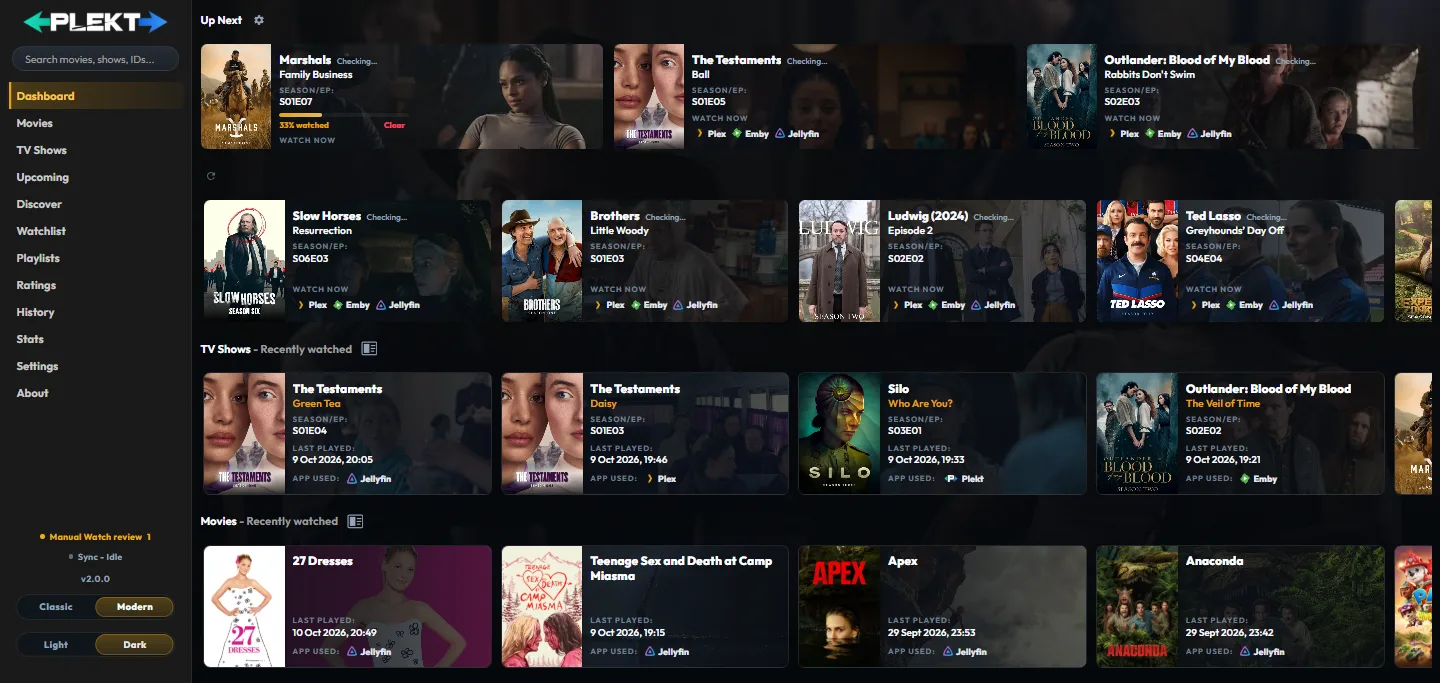
| See active playback | Dashboard, Now Playing | source and progress |
| Start the next movie or released episode | Dashboard, Up Next | provider availability or Watch Now |
| Continue an incomplete title | Dashboard, Now Playing or Up Next | resume position or Watch Now |
| Save or rate a title | Discover or media details | Watchlist, Ratings, or Playlists |
| Mark one title watched | Movies or TV Shows, then the title action | History and Sync Activity |
| Correct a wrong title identity | Media details, Fix Match | provider details and Sync Activity |
| Repair one destination | Sync Activity, targeted retry | destination result |
| Refresh missing artwork or metadata | Settings, Metadata | title detail and Logs |
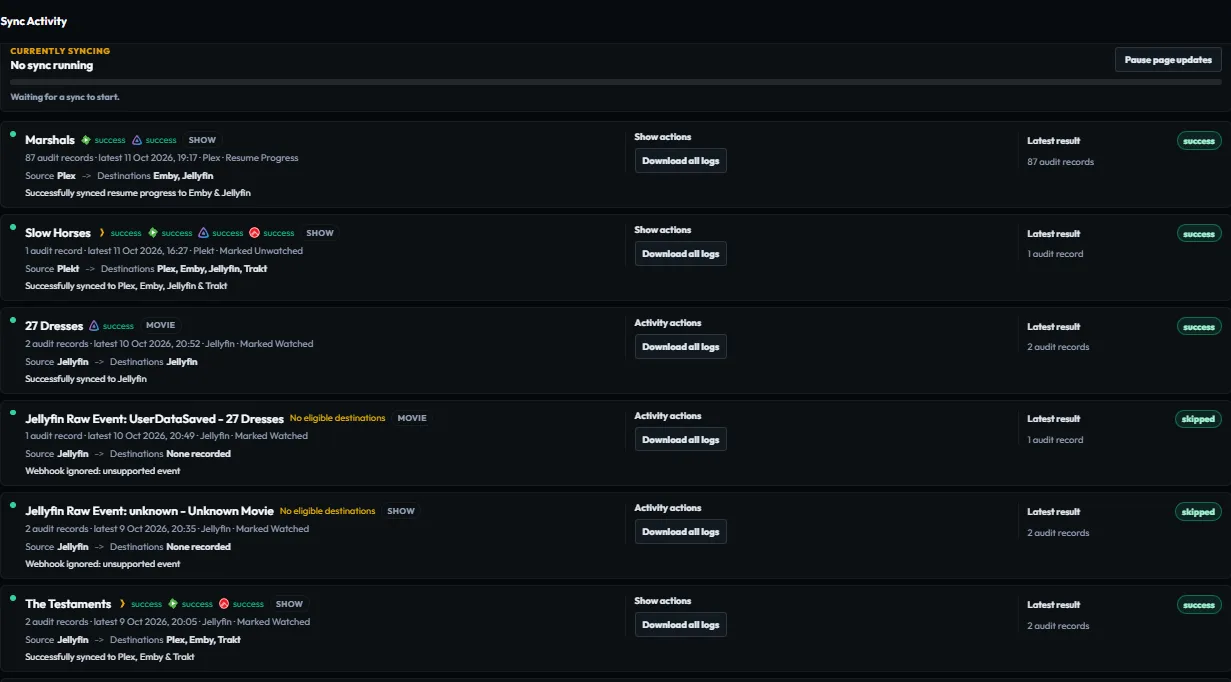
| Check a bulk operation | Sync Activity | every destination row |
Part-watched items can appear in the Dashboard’s Now Playing panel and are hidden from the Up Next rail while featured there. If the item is not in that panel, check Up Next for its resume card.
Verify a change
After a watch or manual correction:
- Open Sync Activity.
- Find the newest row for the title or operation.
- Read each destination result separately.
- Correct the source, match, or connection named by the reason.
- Retry only the affected item or destination when possible.
The sidebar status is a summary. Use Sync Activity or Settings → Logs when you need the evidence behind a result.