
Stats reports only what Plekt has recorded or imported. It cannot recover a play that never reached the local archive.
Reported totals
Stats can show:
- total watch count;
- unique movies and TV episodes;
- most-played movie and show leaderboards;
- movie-versus-TV comparisons;
- source-platform breakdown;
- first and most recent plays; and
- monthly activity.
Change the report scope
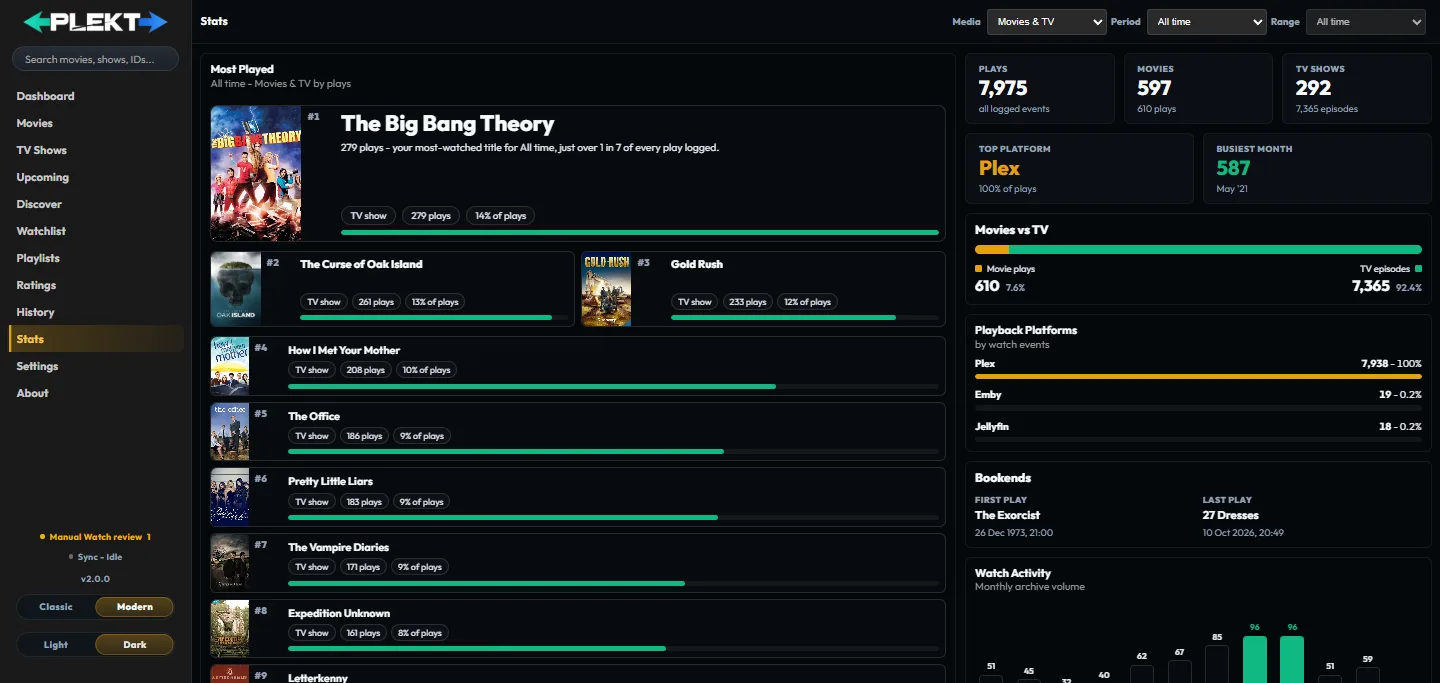
Use the period picker for all time, a year, or a month. Then use the media filter for all media, movies, or shows.
The Busiest month summary follows the selected period. A year report considers months in that year; a month report shows the selected month instead of the all-time busiest one.
A rewatch is a separate event when it represents a genuine later play. Changing the report scope changes the presentation only; it does not alter the archive.