
Restore recovers Watch History or a full Plekt backup from a local file or configured remote storage. Always inspect the source, preview, and scope before confirming.
Local restore
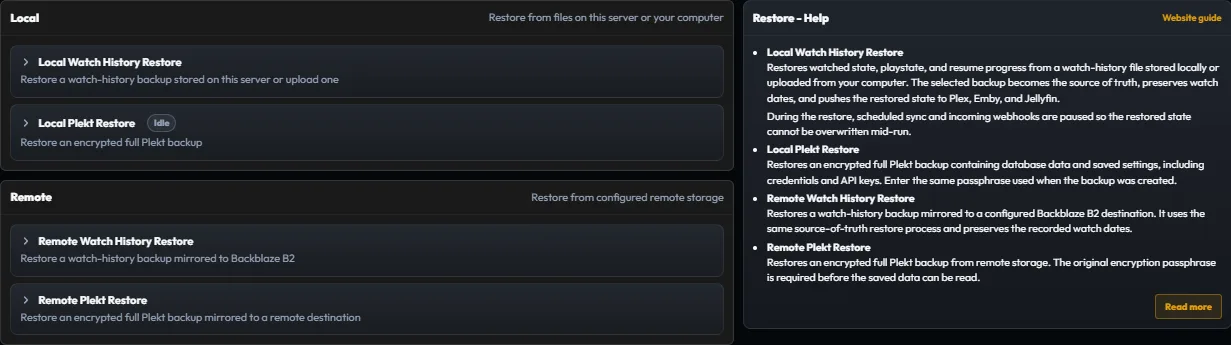
Choose the local source, select Watch History or Plekt, review the preview, and choose the merge or replacement behavior offered by the dialog.
Merge into existing state adds the backup’s watched items without touching other watched items on connected apps. Replace existing state clears current watched items on each connected app, then reapplies only the backup set.
Remote restore
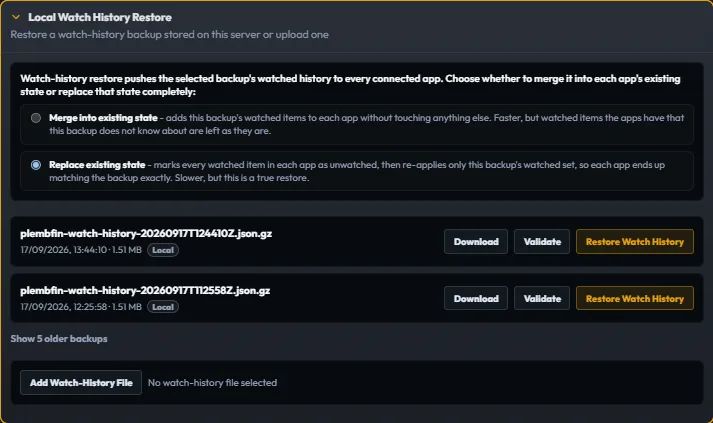
Choose a configured remote destination, select the backup family, and review the file and scope before confirming. A full Plekt restore requires its encryption passphrase.
Safe restore sequence:
- Stop unrelated playback and sync changes.
- Make a current backup of the existing archive.
- Review the restore preview and scope.
- Let the restore finish and wait for the operation lock to clear.
- Run System Integrity and inspect History.
- Reconnect or replay destinations only after the local archive is correct.
Do not start Force Sync or a full watch-state replay while a restore is active. If a restore is interrupted, preserve the logs and reset the restore lock only after confirming no restore process is still running.